trUSDX Audio Adapter for Data Modes
The (tr)uSDX is a fantastic little portable transceiver — compact, capable, and perfect for SOTA or field operations. But if you want to use it for digital modes like FT8, JS8Call, or Winlink, you’ll run into a problem quickly: the audio levels from a laptop or tablet are way too hot for the radio’s input.
The result is a distorted, overloaded signal that makes your transmissions unreadable on the other end.
The fix is a small passive adapter PCB designed by K6ARK (Adam), available on OSHPark for a set of three boards.
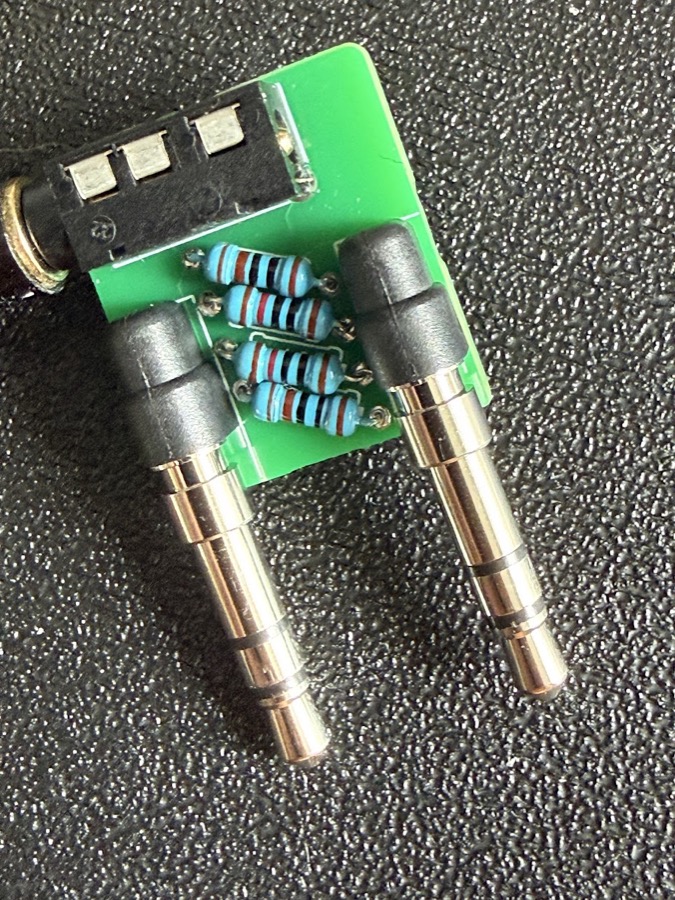
What the Adapter Does
The adapter inserts 20 dB of attenuation between your computer and the trUSDX, conditioning line-level audio down to a level the radio can handle cleanly — in both directions (TX audio in and RX audio out).
It’s a passive design using just four resistors and a couple of TRS connectors. No power required, no active components to worry about.
Parts
| Part | Qty | Value |
|---|---|---|
| TRS pin plugs | 2 | — |
| Resistors | 4 | 2× 10 kΩ + 2× 1 kΩ, 1/8 W |
| 3.5 mm 4-pin TRRS jack | 1 | — |
| TRRS cable | 1 | — |
| TRRS-to-dual TRS splitter | 1 | Optional |
The board is tiny — 20.8 × 18.6 mm — and mounts directly onto the TRS plug solder pins with the resistors facing downward.
Where to Get the PCB
The project is shared on OSHPark — order directly from there, or download the Gerber files and send them to any PCB fab like JLCPCB or PCBway. At the typical minimum order of 5 boards you’ll have plenty of spares.
Assembly
- Solder the resistors to their labeled positions on the board
- Attach the TRRS jack
- Install the TRS plugs
- Mount the board onto the plug solder pins — resistors face down
The whole build takes under an hour, even for a beginner. The resistor pads are through-hole so no SMD work is needed.
Radio Configuration
Once the adapter is connected, apply these settings on the trUSDX:
| Menu | Setting | Value |
|---|---|---|
| 1.1 | Volume | 10 |
| 1.3 | Filter BW | Full (≈ 4k0) |
| 3.1 | VOX | ON |
| — | Transmit device volume (laptop / iPad) | Max (100%) |
VOX handles PTT automatically — when your software sends audio, the radio keys up. No CAT cable required, which keeps the setup simple for portable operation.
If you’re running a trUSDX and want to get on FT8 or Winlink from the field, this adapter is the simplest path to clean digital operation.
73